




Microsoft 365 और Salesforce सुरक्षा के लिए DSPM की सर्वोत्तम पद्धतियाँ
- DSPM discovers where sensitive data lives across M365 and Salesforce, then prioritizes the highest-risk exposures.
- Continuous visibility beats point-in-time audits — sharing settings and permissions change daily in SaaS.
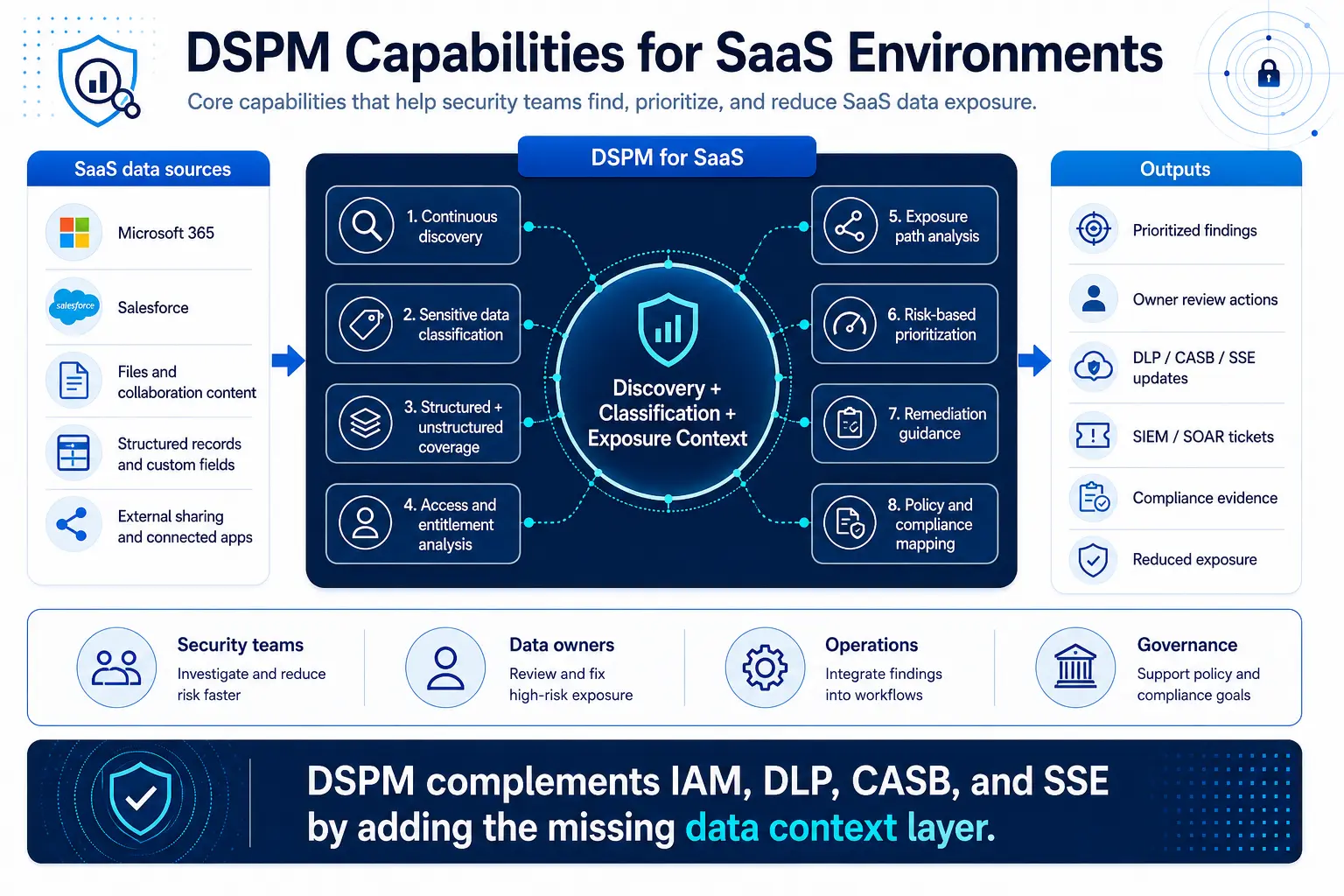
- DSPM complements IAM, DLP, CASB, and SSE by adding the missing data context layer.
- Success metrics should balance exposure reduction, operational efficiency, and collaboration enablement.
- Prioritize solutions with comprehensive discovery, accurate classification, and actionable risk scoring.
- Continuous visibility enables faster response to new exposures as collaboration patterns shift.
- Integration with existing security tools ensures DSPM findings translate into concrete risk reduction.
- Measure both exposure reduction and time-to-remediation to track real operational improvement.
- Regular evaluation of DSPM effectiveness helps organizations adapt to changing collaboration patterns.
SaaS data exposure isn’t the result of a single misconfiguration or breach event – it emerges from the complex interaction of sensitive data sprawl, permissive sharing defaults, external collaboration needs, guest identities, and limited visibility across business-critical platforms like Microsoft 365 and Salesforce.
While these platforms provide native security controls, they operate in isolation and require administrators to already know where sensitive data lives before they can govern it effectively. This challenge has positioned data-centric security solutions as essential components of enterprise security strategies, particularly as organizations recognize the need for comprehensive visibility across their expanding SaaS footprints.
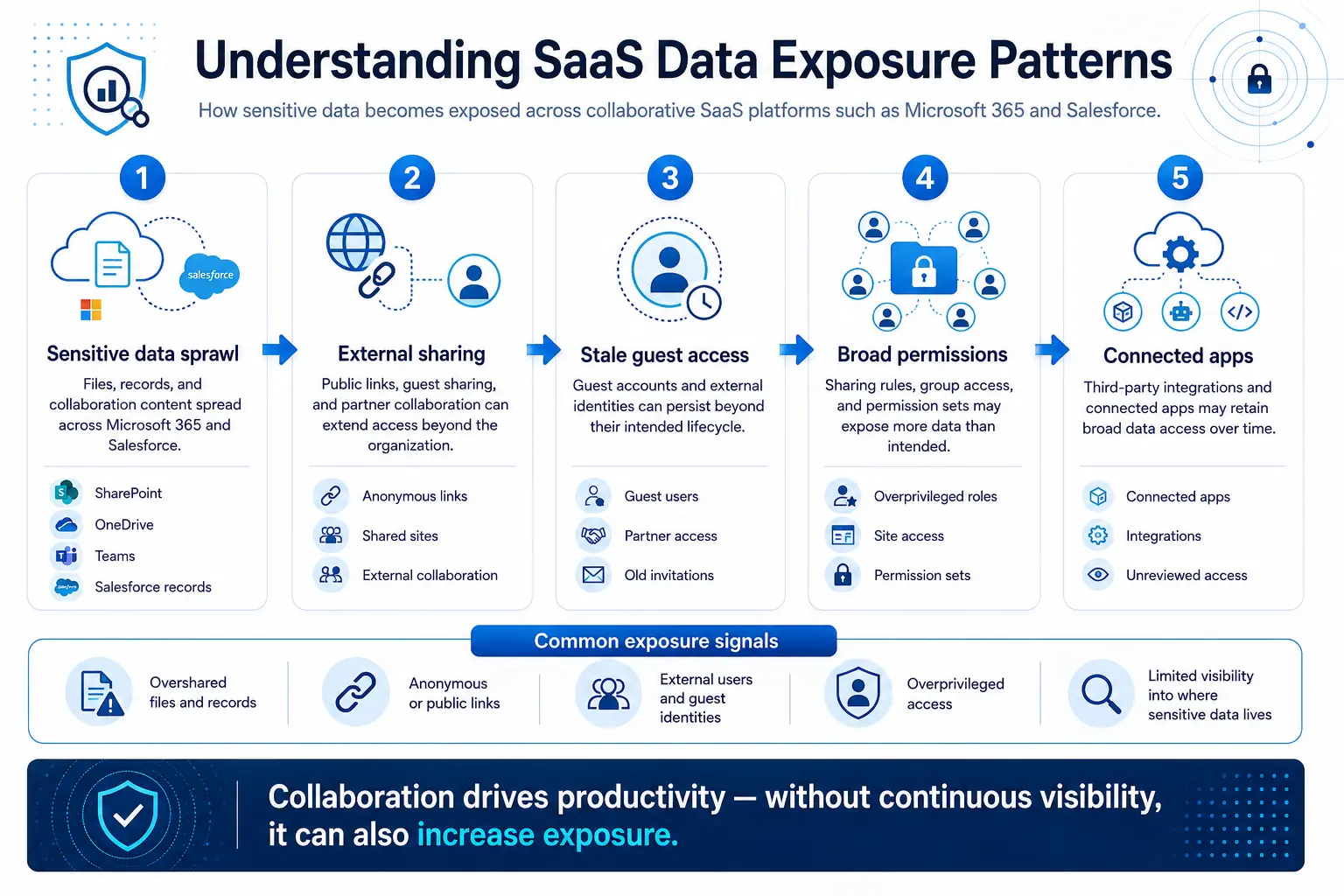
Microsoft 365 and Salesforce exposure patterns include overshared files, guest user access, broad permission sets, and unmanaged external collaboration. Native platform controls help but operate app-by-app and depend on prior knowledge of where sensitive data resides.
Traditional approaches like manual audits, standalone DLP, and CASB leave context gaps that slow effective risk prioritization. Data Security Posture Management (DSPM) provides continuous discovery, classification, exposure analysis, and risk prioritization across SaaS data stores—addressing the visibility gaps that enterprise security teams face in today’s collaborative environments.
Effective SaaS data exposure reduction requires balancing security controls with business collaboration needs. DSPM works best as part of a broader data security strategy that includes identity management, access controls, and policy enforcement.
SaaS platforms prioritize collaboration features, which can create governance challenges for security teams. Microsoft 365 and Salesforce both enable extensive sharing capabilities that can expose sensitive data beyond intended boundaries.
Understanding SaaS Data Exposure Patterns
In Microsoft 365, external collaboration is enabled through several sharing mechanisms. Microsoft SharePoint supports configurable external access models including “Anyone,” “New and existing guests,” and “Existing guests,” based on tenant-level policies. Microsoft OneDrive allows file sharing through anonymous access links that may not require authentication. Additionally, Microsoft Teams collaboration can extend external user access to shared conversations, linked documents, and associated content depending on configured tenant and sharing controls.
These sharing options support legitimate business collaboration but create an exposure surface that extends far beyond the corporate network perimeter.
Guest users present another significant exposure vector in Microsoft 365 environments. Guest accounts can persist beyond their intended lifecycle if organizations do not regularly review external access. Depending on group memberships and site-level sharing settings, guest users may receive broader access than administrators intended.
OneDrive sharing can be difficult to govern consistently because sharing decisions often occur at the individual user level. Employees may share sensitive documents with external parties using anonymous links. Anonymous link sharing can reduce identity-based visibility compared with authenticated sharing methods.
Unlike email-based sharing, which creates audit trails, anonymous OneDrive links provide limited visibility into who actually accessed the shared content.
Salesforce introduces equally complex data exposure challenges through its highly flexible access-control architecture. Broadly configured sharing rules can grant widespread access to matching records, significantly increasing exposure risk. Over time, accumulated custom objects, fields, permission sets, and role configurations can create unintended data access paths that no longer align with current business, governance, or least-privilege requirements.
Guest user access and third-party connected apps can further expand the potential exposure surface in Salesforce. Custom fields and objects in Salesforce create additional complexity because they may contain sensitive data that isn’t covered by standard governance policies.
For example, sensitive information stored in custom fields may not be governed as consistently as standard record data if classification and access controls are not reviewed carefully. Connected apps can accumulate over time, with some maintaining broad data access permissions even after their original business purpose has ended.
External collaboration in Salesforce can involve partner, customer, or integration use cases, each of which should be reviewed for least-privilege access. If access controls are scoped too broadly, external users may be able to reach more records or objects than necessary.
Business Impact and Cost Considerations
The business impact of these exposure patterns extends beyond compliance risks. When sensitive data is broadly accessible, organizations face increased risk of intellectual property theft, competitive disadvantage, regulatory penalties, and reputation damage.
IBM’s Cost of a Data Breach Report 2025 found that the global average breach cost was USD 4.44 million.
Limitations of Traditional Approaches
Manual audits of SaaS data exposure face fundamental scalability challenges. Large Microsoft 365 environments can contain very large numbers of files across SharePoint, OneDrive, and Teams, with sharing permissions that can change frequently as users collaborate on projects. Large Salesforce environments can also be difficult to review manually because they may include many records, custom objects, users, and layered permissions.
Traditional Data Loss Prevention (DLP) solutions help identify sensitive content but weren’t designed to provide comprehensive visibility into data exposure posture. DLP excels at detecting and blocking policy violations as they occur. However, DLP doesn’t provide continuous visibility into where sensitive data currently resides, how it’s shared, who has access, or what remediation actions would reduce exposure most effectively.
CASB solutions add valuable visibility and control capabilities for SaaS environments, but they typically focus on user behavior, application access, and policy enforcement rather than comprehensive data posture management. CASB solutions can identify risky user activities, enforce access controls, and prevent unauthorized data sharing. However, they may not provide complete visibility into existing data exposure across all files, records, and sharing configurations.
The fragmentation across these traditional approaches creates operational challenges. DLP alerts focus on policy violations, CASB alerts focus on user behavior, and manual audits provide static snapshots of configuration issues. Traditional approaches often lack the business context necessary for effective risk prioritization.
How DSPM Transforms SaaS Data Security
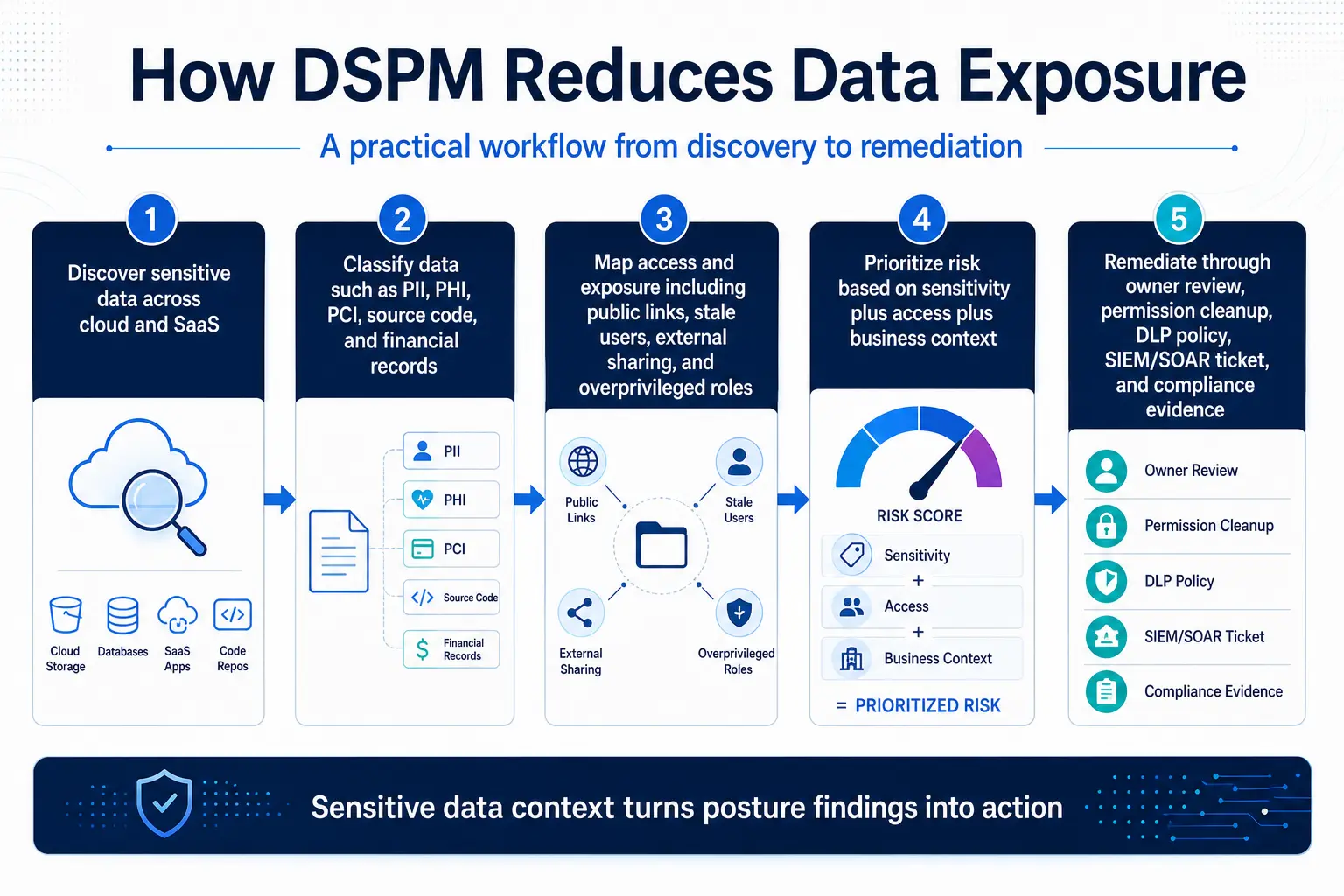
DSPM changes the equation by continuously discovering where sensitive data lives, how it is exposed, and what remediation will reduce risk fastest. A strong DSPM program identifies sensitive data across Microsoft 365 and Salesforce without requiring security teams to manually inspect every file or record.
It classifies data based on content and context, then evaluates the exposure pathways that make that data risky. That includes public links, guest access, overly permissive sharing rules, and stale access entitlements. Once exposures are identified, DSPM can prioritize the most important risks first, instead of overwhelming teams with a long list of low-value findings.
In practice, this means security teams can focus on the data that matters most, not just the data that triggered an alert. This data-first approach represents a fundamental shift from reactive security monitoring to proactive data protection posture management.
Key DSPM Capabilities for SaaS Environments
Coverage across both structured and unstructured data is essential. Risk prioritization capabilities should go beyond simple sensitivity scoring. Remediation guidance should provide specific, actionable recommendations. Integration capabilities with existing security workflows ensure that DSPM findings can be acted upon efficiently.
Policy mapping capabilities help organizations connect data exposure findings to relevant compliance requirements. Scalability and performance matter significantly for enterprise deployments with large Microsoft 365 and Salesforce data estates.
For organizations with strict governance requirements, deployment flexibility and data residency support may be important evaluation criteria.
Implementation Strategy
A practical evaluation of DSPM should begin with the highest-risk business data and the collaboration paths that expose it most often. Begin with the SaaS environments that store your most sensitive business data and support the most external collaboration—often including Microsoft 365 and Salesforce.
Start with high-value data sources that present the greatest business risk. Pilot DSPM capabilities in a controlled environment. Establish metrics and success criteria. Use those metrics to determine whether the platform can help reduce exposure without disrupting legitimate collaboration.
DSPM is most effective when it complements, rather than replaces, existing security controls. Identity and access management still define who should have access. DLP still blocks or warns on risky transfers. CASB and SSE still help enforce policy and monitor SaaS activity.
DSPM adds the missing context layer that helps security teams see the full exposure picture. That broader visibility is what makes SaaS data security more manageable in environments where collaboration is constant and permissions shift quickly.
As organizations recognize the strategic value of comprehensive data visibility, leaders in security service edge platforms have begun integrating DSPM capabilities directly into their unified security architectures, providing enterprise customers with seamless data protection across their entire SaaS ecosystem.